Etsy MCP Server Explained — What It Is and How It Works
What is an Etsy MCP server? See how MakeBox MCP lets Claude or ChatGPT research, draft and edit listings only with your approval. Every tool explained.
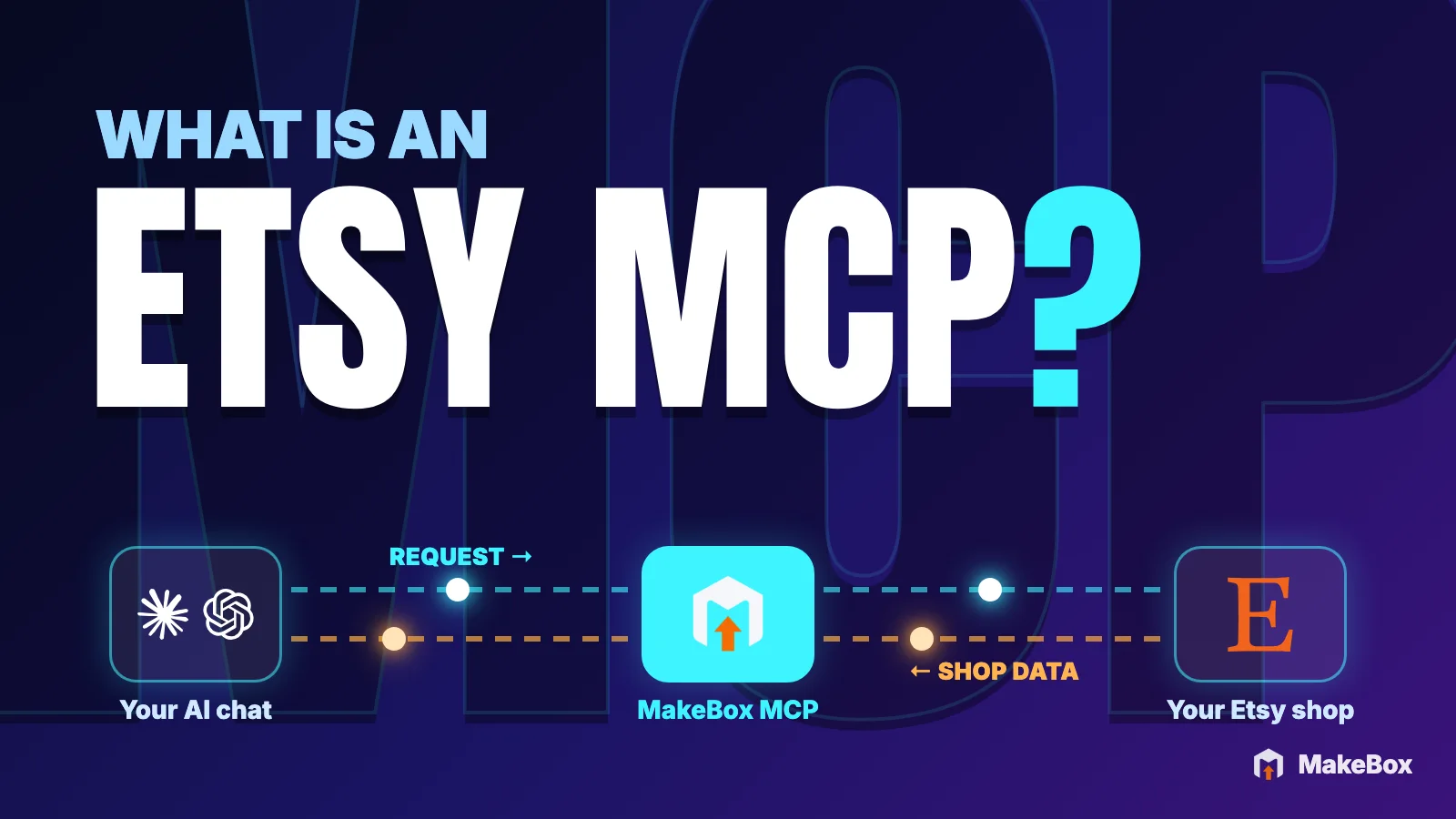
You've probably pasted an Etsy listing into an AI chat, asked for better tags, and then copied the answer back into Shop Manager one field at a time. It works, sort of. But the assistant is guessing: it can't see search data, it doesn't know what competing listings use, and it can't check the listing it just rewrote.
An Etsy MCP server closes that gap. It gives your AI assistant a set of real Etsy tools, such as keyword lookups, competitor research and access to your own listings, that it can call in the middle of a conversation. Anything that would change your shop waits for your approval.
This guide explains what MCP is in plain English, how the MakeBox MCP server works, what it can and can't access, how approvals keep you in control, and what every tool does. No coding required. For demos and setup in one place, see the MakeBox Etsy MCP hub.
What is an Etsy MCP server?
MCP stands for Model Context Protocol. It's an open standard that lets an AI assistant discover and call tools from a connected service. Instead of you describing your shop, the AI asks the service for real data and acts on it within limits you control.
An Etsy MCP server is a service that speaks this protocol and offers Etsy-related tools. The MakeBox MCP server lives at https://mcp.makebox.ai/mcp. When you connect it to Claude, ChatGPT or Codex, your assistant gains tools for keyword and competitor research, listing review and drafts, and, after you connect your shop, supported changes to your own listings.
Three parties are involved:
💡 An MCP server is a connection, not an Etsy ranking feature. It makes your assistant better informed and saves you copy-paste; it doesn't change how Etsy search treats your shop.
Copy-paste prompting vs. an assistant with Etsy MCP
The difference is easiest to see side by side.
| Task | Copy-paste prompting | Assistant with Etsy MCP |
|---|---|---|
| Keyword ideas | Guessed from the model's general knowledge | Pulled from the MakeBox keyword database, labeled as estimates |
| Competitor tags | You paste them in manually | The assistant looks up public listings and their tags |
| Your current listing | You copy every field into the chat | The assistant reads the listing directly after you connect Etsy |
| Making the change | You paste each field back into Shop Manager | You approve the exact values; MakeBox applies them through your Etsy connection |
| Record of changes | Whatever you remember | Changes are logged; supported edits can be reverted |
An Etsy MCP connection works in both directions. Your request travels from the assistant to MakeBox, and your shop's data travels back: MakeBox reads your listings, tags and shop stats from Etsy and returns them to the chat as information. Changes travel the other way, from MakeBox to Etsy, only after you approve them. In the animation below, the blue line is your shop data coming back from Etsy; the green line is the approved change going out.

What Etsy says about AI, and why it shapes how MCP should work
Etsy tightened its AI guidance in October 2026, and any AI workflow has to fit inside it.
According to Etsy's Seller Handbook update on AI use on Etsy, bot-generated listings made without any human involvement aren't allowed. Etsy says those listings will be removed, and the shop itself may be removed too. Etsy's separate page on AI creations adds that every item must involve "direct, individual human prompting, curation, and creative input." It also prohibits mass-automated generation of listings through scripts without individualized human oversight.
The October 2026 update also covers photos and content:
So a good Etsy MCP setup is built around review: the assistant researches and drafts; you decide. Etsy's own AI seller tools follow the same principle. In its article on how Etsy uses AI to support sellers, Etsy describes them as optional tools you review, edit and approve.
How the MakeBox MCP server works, step by step
https://mcp.makebox.ai/mcp (Customize → Connectors). In ChatGPT or Codex you open the official MakeBox for Etsy plugin card, choose Install plugin, then Connect. Full walkthroughs are in our guides to connecting Etsy to Claude and using ChatGPT and Codex with Etsy.A worked example
Say a candle shop wants to improve one listing. The conversation might start like this:
Review my listing "Lavender Soy Candle 8 oz" and suggest a clearer title,
a stronger first paragraph for the description, and 13 tags.
Use MakeBox keyword data and compare 3 competing listings.
Show me the exact proposed values before you change anything.Behind the scenes, the assistant typically calls:
get_listing to read your current title, description and tags;search_keywords and check_keywords for estimated demand and competition;search_top_listings and competitor_tags to see what similar public listings use;optimize_listing, which returns a suggestion and doesn't save anything.You then see the current title next to the new one, the tags, and why each phrase fits. If you say "Apply the title and tags, keep my description," the assistant uses update_listing or push_listing_to_etsy to apply exactly what you approved. If you change your mind later, revert_change can roll back a supported edit.
What the MakeBox Etsy MCP can and can't access
Access comes in three levels. Each level needs something more from you.
| Level | What you need | What your assistant can do |
|---|---|---|
| Research | MakeBox Pro or Studio (no shop connection) | Research keywords, niches and public competitor listings and shops |
| Read your shop | Pro or Studio + your Etsy shop connected in MakeBox | Read your listings, orders and shop stats; audit your shop |
| Change your shop | All of the above + your approval of each change | Create drafts, edit listings, add photos and alt text, translate, run bulk SEO |
Points people often get wrong:
What it can't do
💡 If you're unsure what your assistant can reach, ask it directly: "List the MakeBox tools you have access to and what each one does." Assistants can read the tool list the server provides.
Security and approvals: how you stay in control
Three habits are built into the tools: propose first, quote before spending, keep an undo path.
You approve every change
You see the shop, the listing and the exact proposed values first. Nothing reaches Etsy until you confirm.
Check and undo
Changes are logged, supported edits can be reverted, and you can verify the result on Etsy.
Research before you connect a shop
With Pro or Studio, keyword and public competitor research works without connecting your own Etsy shop.
optimize_listing returns a suggestion that isn't saved. create_listing creates a draft from content you've approved and publishes only with your approval.quote_bulk_seo, and translation starts with quote_translation, so you see the cost before anything runs. AI alt text drafts from generate_alt_text use your plan allowance.revert_change rolls back supported single edits, and undo_bulk_edit reverses a bulk job.A pre-approval checklist
Run through this before you say "yes, apply it."
A good standing instruction to paste at the start of any session:
For this whole conversation: never change anything on Etsy until I reply
"approved". For every proposed change, show the listing, the field, the
current value and the new value. Flag any fact you are not sure about
instead of guessing.Every MakeBox MCP tool explained in plain English
You'll rarely call a tool by name, but knowing what exists helps you ask better questions. You can also browse live demos on the Etsy MCP page.
Account and status
get_account_status checks your MakeBox account, plan and whether a shop is connected. It's the first thing to ask about when something seems off: "Check my MakeBox account status. Is my shop connected?"
Market research
| Tool | What it does | Try asking |
|---|---|---|
search_keywords | Finds keyword phrases related to your product, with search estimates | "Find keywords for a hand-thrown ceramic mug." |
check_keywords | Checks specific phrases you already have in mind | "Check these 5 phrases and tell me which look strongest." |
competitor_tags | Shows the tags used by competing public listings | "What tags do top listings for 'birth flower necklace' use?" |
search_top_listings | Finds top public listings for a search phrase | "Show the top listings for 'personalized dog bandana'." |
analyze_competitor_listing | Breaks down one public listing's title, tags and presentation | "Analyze this competitor listing and tell me what it does well." |
Shop and niche insight
| Tool | What it does | Try asking |
|---|---|---|
analyze_shop | Audits a shop's listings for strengths and gaps | "Audit my shop and list the top 5 issues." |
get_shop_stats | Summarizes your shop's stats | "Summarize my shop stats for the last month." |
find_shops_in_my_niche | Finds other shops selling similar items | "Find 5 shops in my niche and compare their pricing." |
monitor_shop | Watches a shop where monitoring is supported | "Start monitoring this shop and tell me what it tracks." |
Your listings and orders
| Tool | What it does | Try asking |
|---|---|---|
list_listings | Lists the listings in your connected shop | "List my active listings with their titles and tag counts." |
get_listing | Reads one listing in full | "Show me everything on my 'Moon Phase Print' listing." |
list_orders | Lists your recent orders | "Which of my items sold most often recently?" |
Writing, editing and creating
| Tool | What it does | Try asking |
|---|---|---|
optimize_listing | Suggests a better title, description and tags (not saved) | "Suggest SEO improvements for this listing." |
update_listing / push_listing_to_etsy | Apply the changes you approved | "Apply the new title and tags only." |
create_listing | Creates a draft from content you approved; asks for real dimensions on physical items; publishes only with approval | "Create a draft from these facts and tell me what's missing." |
clone_listing_as_new | Copies an existing listing as a new one to edit | "Clone my blue mug listing as a starting point for the green one." |
Photos and alt text
| Tool | What it does | Try asking |
|---|---|---|
get_upload_link | Gives you a link to upload photos, or video (MP4, MOV or M4V up to 100 MB) | "Give me an upload link for 6 new photos." |
add_photos_to_listing | Attaches uploaded photos to a listing | "Add the uploaded photos to my draft." |
generate_alt_text | Drafts alt text per photo with AI (uses your allowance) | "Draft alt text for each photo; I'll review it." |
set_photo_alt_text | Saves alt text you wrote or approved | "Save this alt text on photo 2." |
Etsy allows up to 250 characters of alt text per image, and its Help Center notes that stuffing your shop name, title or tags into alt text gives no extra SEO benefit. Describe what's actually in the photo.
Translations
| Tool | What it does | Try asking |
|---|---|---|
list_shop_languages | Shows the languages enabled in your shop | "Which languages is my shop set up for?" |
quote_translation | Quotes the cost before translating | "Quote translating my top 10 listings into German." |
translate_listing | Translates a published listing after the quote | "Go ahead with the German translation for listing 1." |
set_listing_translation | Saves your own translation | "Save my French title and description on this listing." |
Bulk SEO and the safety net
| Tool | What it does | Try asking |
|---|---|---|
quote_bulk_seo | Quotes a bulk SEO job before it runs | "Quote a bulk SEO pass on my 40 lowest-viewed listings." |
start_bulk_seo | Starts the job and prepares suggestions for review | "Start the job and show me each suggestion." |
push_bulk_seo_job | Pushes the suggestions you approved to Etsy | "Push only the ones I marked approved." |
revert_change | Rolls back a supported single change | "Revert yesterday's title change on the mug listing." |
undo_bulk_edit | Reverses a bulk job | "Undo the bulk edit from this morning." |
Three real workflows, with prompts to copy
Example details are illustrative; swap in your own product.
1. Research a product idea before you list it
You don't need a connected shop for this, only Pro or Studio.
I'm thinking of selling hand-stamped brass bookmarks. Using MakeBox:
1) find 15 keyword phrases with estimated demand and competition,
2) show the top 5 public listings and the tags they share,
3) tell me which phrases look underused. Label all numbers as estimates.For a deeper method, see our guide to researching competitor tags and prices.
2. Create a draft from photos and facts
Create a draft listing for this ceramic planter. Confirmed facts:
stoneware, hand-glazed, drainage hole, 4.5 in tall, 5 in wide, ships
in 2-3 business days. Use my photos. List anything that's missing
before you create the draft, and don't publish it.If a needed fact is missing, the assistant should flag it instead of guessing.
3. A careful bulk SEO pass
Quote a bulk SEO pass on my 30 listings with the lowest views.
After I approve the quote, start the job and show me each suggestion
side by side with the current version. I'll approve them one by one.Quote first, review every suggestion, push only approved ones: that's the human oversight Etsy asks for. Our bulk catalog SEO workflow covers how to choose which listings to fix first.
What changed in 2026
💡 Etsy's own research found that many active buyers can't tell which items involve AI-generated content, and that this confusion is a top-three barrier to shopping more often. Clear, honest listings are part of the fix.
Common mistakes with an Etsy MCP setup
Key takeaways
https://mcp.makebox.ai/mcp and works with Claude, ChatGPT and Codex.FAQ
What is an Etsy MCP server?
It's a service that uses the Model Context Protocol, an open standard, to give an AI assistant tools for working with Etsy. The MakeBox MCP server lets Claude, ChatGPT or Codex research keywords and competitors, read your listings once your shop is connected, and prepare changes you approve. It's a connection, not an Etsy ranking feature.
Is the MakeBox Etsy MCP safe to connect to my shop?
Sign-in uses OAuth on app.makebox.ai, so your assistant never sees your password. Shop actions go through your own Etsy OAuth connection, nothing reaches Etsy without your approval, changes are logged, and supported edits can be reverted. You can disconnect anytime from your MakeBox account page.
Does the Etsy MCP server cost money?
Installing the plugin and connecting MakeBox is free on any plan. Using the MCP tools, including research and reading, needs an active MakeBox Pro or Studio plan. Your AI app may have its own plan or workspace requirements.
Can an MCP server post listings to Etsy automatically?
Not without you. The create_listing tool makes a draft from content you approved and publishes only with your approval. Etsy prohibits bot-generated listings without human involvement, so per-listing review protects your shop as well.
Can the MakeBox MCP connector create product photos?
No. The connector doesn't generate images or video. You can upload your own photos and video (MP4, MOV or M4V up to 100 MB) and add them to a listing, and every listing still needs at least one unedited photo of the real item.
Why can't my assistant see my Etsy shop?
Check that the connector is enabled for the current chat, that you're signed in to the right MakeBox account, that your Etsy shop is connected in MakeBox, and that your plan is Pro or Studio. Start a new chat or refresh the connector after making changes.
Will using an Etsy MCP improve my search ranking?
Not by itself. It helps you write clearer, more relevant listings faster, but Etsy ranking depends on many factors, including relevancy, listing quality, customer service and conversion. No tool can guarantee results.
Want to talk through your setup?
Get in touch and I'll walk through what would actually move the needle for your shop or business.