 MakeBox
 Poshmark automation comparison
MakeBox Closet vs manual Poshmark sharing
Manual work does not mean clicking every listing separately: Poshmark has native bulk tools. MakeBox adds repeatable browser workflows, recurring schedules and a shared run history. Start with the native tools and pay for automation only if it helps your actual routine.
Written by MakeBox, developer of MakeBox Closet. This is a vendor-authored comparison, not an independent review. Details checked against the sources below.
Choose the workflow that fits.
Consider MakeBox Closet when...
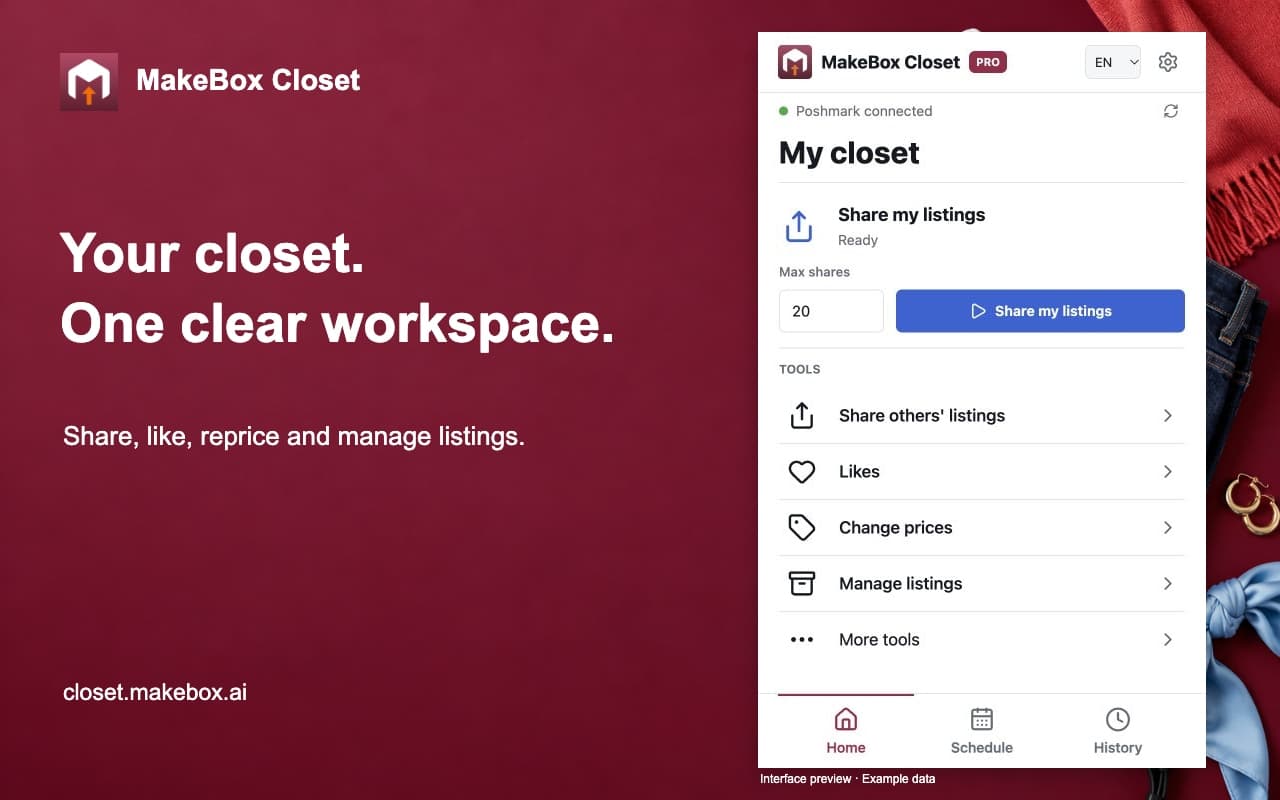
You repeat the same Poshmark tasks often and want saved schedules, selected-item workflows and run progress in a Chrome workspace.
Consider Manual Poshmark tools when...
Your closet needs only occasional attention, native bulk actions cover the job, or you prefer not to add a third-party automation service.
The practical differences
Features, access and ongoing cost.
| Workflow | MakeBox Closet | Manual Poshmark tools |
|---|---|---|
| Extra software subscription | Free plan, Grow $14.99/month or Pro $29.99/month after its introductory month. | No MakeBox subscription. Marketplace fees and paid Poshmark services are separate. |
| Sharing several listings | Choose a source and run limit, then review the run. | Poshmark documents sharing selected listings with native bulk actions. [1] |
| Price drops and offers | Grow includes offers; Pro adds selected and bulk price changes. | Native Bulk Listing Actions include price drops and offers to likers. [2] |
| Recurring MakeBox schedules | Grow and Pro; Chrome running, computer awake, accounts signed in. | You initiate the native actions yourself; no MakeBox schedule is running. |
| Copying and relisting | Pro Copy keeps the original. Relist needs confirmation and a verified age of 60+ days. | Native Copy Listing offers Publish Copy or an eligible Replace Original workflow. [3] |
| Old likes on relist | MakeBox Copy / Relist does not transfer old likes or URLs. | Poshmark says eligible native Replace Original can carry likes over; comments and offer history do not transfer. [3] |
| Additional software access | Requires the MakeBox extension, a MakeBox account and Poshmark browser access. | Use Poshmark directly without adding MakeBox. |
USD prices checked on October 14, 2026. Taxes, closet counts, promotions and billing periods may change the total. Confirm the vendor's current checkout before subscribing.
Measure your own time before subscribing
Choose one repeatable task and a small, fixed set of listings. Time a manual run using Poshmark's native tools. Then try the comparable MakeBox workflow, including setup, result checking and any interruptions. Do not mix price edits or relisting into a test that was meant to measure sharing.
Compare completed actions and time spent supervising, not just clicks or animations. A tiny closet may not justify a paid plan. This page makes no fixed hours-saved, sales-lift or return-on-investment claim; your own measured routine is the useful benchmark.
Keep native tools in the comparison
Poshmark's own bulk actions can reduce repetitive work without a separate automation subscription. Feature availability can depend on the account and device. Check the official guides linked below before paying for a task the marketplace already lets you complete efficiently.
Native Replace Original and MakeBox Relist are not interchangeable. Poshmark now documents carrying likes over in its eligible native replacement flow. MakeBox's copy-and-delete workflow does not promise that behavior. Inspect the listing and its history before choosing either path.
Questions before you switch.
Do I need a bot just to share several listings?
Not necessarily. Poshmark documents native bulk sharing. The reason to consider MakeBox is whether its recurring workflows and activity controls help your routine, not the assumption that manual sharing must always be one item at a time.
How much time will MakeBox save me?
There is no verified universal figure. Compare the same task and listing count, include setup and supervision, and count only confirmed results. Use the Free plan's limits for an initial test where appropriate.
Is manual work always the better choice?
No single choice fits every seller. Native tools may be enough for occasional tasks; recurring work may justify automation. Third-party automation can conflict with marketplace rules, and neither approach guarantees a sale.
Sources and review method.
MakeBox details come from our product description and plans. Alternative-product facts come from the official pages below, checked on October 14, 2026. We have not independently tested their performance or security. A vendor's claim is not a verified sales result.
- Poshmark: sharing and native bulk sharing
- Poshmark: current Bulk Listing Actions
- Poshmark: Copy Listing and eligible Replace Original
Names and trademarks belong to their respective owners. No competitor endorsement or affiliation is implied. Report an outdated detail.
A plan for your closet.
Start with your daily routine. Add the tools you need.
Free
No paid subscription
A simple daily starting point.
- 25 shares per day
- 25 follows per day
- Self-Share, Follow and Like
Grow
Monthly plan
Sharing, engagement and your schedule.
- Everything in Free
- Community, Brand and Party Share
- Offers, Unfollow and seller activity
- Recurring days and times
Pro
Then $29.99/month
Your pricing and inventory work center.
- Everything in Grow
- Selected and bulk price changes
- Copy, Relist and listings manager
- Read-only sales analytics
Annual: Grow $119.88/year · Pro $239.88/year. Paid upfront; no first-month coupon on annual plans.
50% off your first month of Pro
Applied automatically at checkout · New monthly subscriptions only
$14.99 USD first month, then $29.99 USD/month. No code required.Account access and secure billing are handled on closet.makebox.ai. The website demo never creates a subscription.